Creative concepts
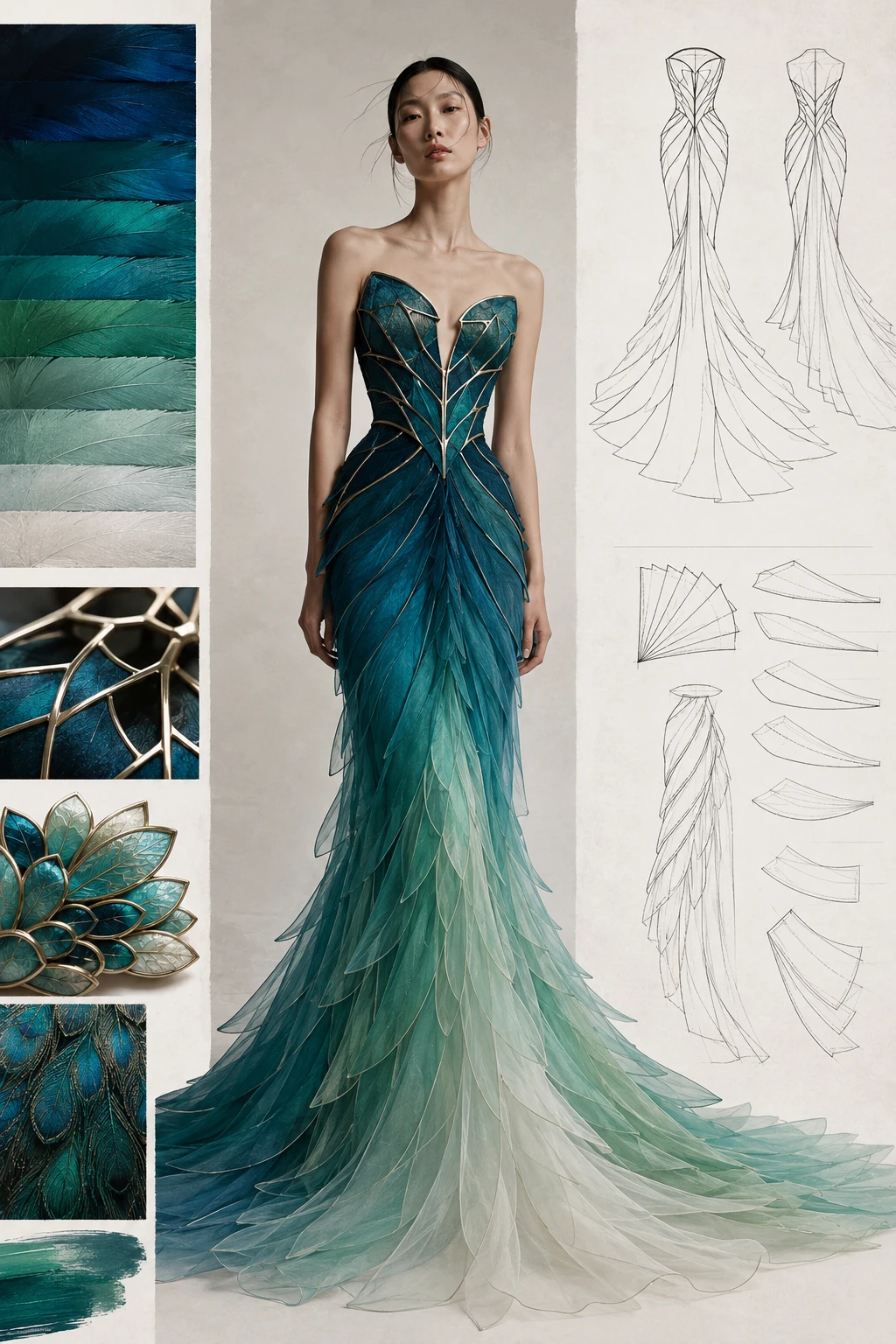
Teal Feather Mermaid Gown
Use this plan →
IMAGE2.ING INSPIRATION · PROMPT

Creation model · GPT Image 2
Combine the uploaded portrait, red badminton racket, and white cap references into one dynamic badminton photograph. Preserve the woman's facial features, hairstyle, and blue sportswear. Use the referenced red racket and white cap, retaining their shape, colors, and existing lettering. Show her jumping to strike on a blue outdoor court, with naturally flowing hair, a clear sky, and trees behind her. Match perspective, scale, sunlight direction, shadows, and materials across the references. Keep anatomy, grip, and equipment structure natural. Output only the finished action scene, without reference-image insets, collage borders, additional people, text, or watermarks. Landscape 4:3.
Edit the prompt, choose an aspect ratio and upload your own references in the workspace.
Replace the subject, exact headline or setting first, then adjust the palette and aspect ratio for your use. Keep the composition, materials and constraints you need. Change one group of instructions at a time to compare results.
Label references as subject, product or style. Test one composition before changing clothing or movement, and avoid conflicting instructions.